Friday, August 10, 2012

Do I HAVE to Teach Online in Real Time?

A good friend of mine is a model of effective educational technology. She exemplifies good online teaching and is skilled in the use of CCC Confer with students and with her peers as a workshop leader and evangelist on her campus. She's been teaching online classes for several years, and using CCC Confer for about five years now. But she's only begun in the last year to use CCC Confer in real time with her students.

What took her so long? Well, she didn't see the need for synchronous online instruction, and she certainly didn't feel comfortable with the thought of having to "be perfect" with a live audience. This instructor (let's call her Arianna) had worked tirelessly on making recorded sessions (via Confer) that taught the concepts she wanted to teach and were re-usable and captioned, thus ensuring maximum accessibility for her students. Because she could delete and re-record the sessions that didn't go as she'd planned, she was very comfortable with this method of providing personalized lectures and teaching to her online students. In the synchronous world, there aren't any "do-overs" if things go south. Why ruin a good thing?

What happened with Arianna is that she was exposed to other instructors who were using Confer in real time with their online classes. She heard about how much these instructors enjoyed the social interactions with their students and their discussions about the merits of hearing and answering questions in real time. She began to wonder about her isolated online students and whether or not some of them might be better served if they could access their instructor in real time. Perhaps most importantly, she discovered that her peers - people just like her - were doing it. If they could do it, why couldn't Arianna?

She's discovered that there are some things that work in real-time and others that she believes are still best left to asynchronous delivery. For example, she believes that synchronous content delivery is best suited to simple lessons that can be "chunked" and discussed, or for which students can be encouraged to react quickly. When the topic is more complex, or requires reflection by students, she still prefers to present it asynchronously and review it in real time later.

You may be like Arianna; if so, relax. It takes time to become comfortable with this technology, and we're all still discovering the best ways to use it. Try some recorded lectures and see if those are a good fit for your students. Hone your skills and become familiar with the tools (e.g., whiteboard, chat, application sharing) so you can adapt your presentations to fit your teaching needs. And keep an open mind about going online with a live audience.

Maybe not today, but there may come a time when you'll want to take that step.

Friday, July 27, 2012

Two Minutes to Better Confer Sessions

The hard-working Client Services team at Confer have produced some very useful - and conveniently short - videos to help you succeed online in your Confer sessions. They all use the new sleek interface and are designed to show you quickly and clearly what you need to know to use the tool you want to use. Enjoy!


Dandies, eh? Let us know what else you'd like to see a short video tutorial about!

Friday, July 13, 2012

You Did WHAT with Web Conferencing?

I recently gave a presentation at Blackboard World entitled, "You Did WHAT with Blackboard Collaborate?" It was an attempt to demonstrate the diversity of uses and users we've discovered at CCC Confer and to highlight some of the unusual things our users do with this technology. We learn more about Web conferencing from the faculty and staff who use them than we can ever teach them. The users of this technology are the real stars: they invent, adapt, create, and transform Web conferencing as they apply it to educational tasks. Here are some examples:

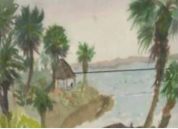
  1. Teach Art. Robin Rogers Cloud at Saddleback College demonstrates effective use of the whiteboard to show students how their paintings can be improved. She demonstrates where the horizon is, shows how darkening certain objects improves the contrast, sharpens the trees and shoreline, and divides the painting to show the center and different parts of the picture. Robin demonstrates why she loves this tool for art instruction.
  2. Be Quiet. In an acoustically flawed recording, Donna Eyestone demonstrates a powerful point: that in the synchronous online classroom, silence can be golden. You have to give your online students time to gather their thoughts - and their courage - to speak up and join the discussion.
  3. Play Music. Donna has also taught us about the comforting value of music when an online class is beginning.
  4. Podcast Lectures. The "Podcast Queen" of the California Community Colleges helped us develop a server for storing and playing podcasts for anyone in the system. 
  5. Save Your Job. Amelito Enriquez, winner of a White House honor for engineering mentoring, used CCC Confer to boost enrollment in his classes and save the engineering program at Canada College.
  6. Teach with a Tablet. Amelito discovered that tablet PCs were uniquely suited to his brand of instruction, which requires considerable annotation.
  7. Erase with a White Pen. A math instructor at Grossmont College, Irene Palacios, discovered that she could use the whiteboard in an unorthodox way to erase her PowerPoint mistakes.
  8. Make Short Video Lectures. Irene discovered the value of archived lectures. She has created scores of short video lectures to demonstrate math principles and practices.
  9. Flip the Classroom. Irene and several others like her have discovered that this technology is valuable even for face-to-face students, who benefit from re-watching and reviewing archived lessons.
  10. Have Face-to-Face Students Interact with Online Students. In Santa Rosa, Michael McKeever teaches a hybrid class with face-to-face and online students attending at the same time. He uses breakout rooms to combine the two groups for problem-solving.
  11. Impersonate a Computer. At Sierra College, instructors run an Online Writing Center for tutoring students with writing assignments. Jeanne Guerin has captured a session in which a student logged in and was confused about whether or not the other end of the conversation she was having was human.
  12. Share a Calculator. At Foothill College, Marc Knobel teaches math online. He found that application sharing and the TI calculator emulation software were terrific tools.
  13. Teach 100 Students at a Time. At Cypress College, Rebecca Gomez actually teaches more than 100 students at a time online...
  14. Teach for 4+ Hours. ... and she teaches for a long time!
  15. Work with the Captioner. Rebecca discovered that the captioner can be a valuable classroom assistant if you remember to use them.
  16. Teach Adult Education.  At San Diego City College, as at most community colleges, adult education is very important, and Claudia Tornsaufer uses CCC Confer to teach music classes to a diverse audience. Some of her students are in their twenties, while others are in the 80+ age range.
  17. Teach from Another Country. Laurie Huffman, from Los Medanos College in northern California, actually travels overseas to teach her classes. We've had classes taught from Paris, France, Alaska, and even China!
  18. Use the Timer. The timer is an effective tool for reinforcing "time on task" and learning enhancement, as Cyndi Reese explains.
  19. Count to Three. A math instructor from Lake Tahoe Community College showed us a technique he uses that allows the whole online class to respond to a question and give him an "instant assessment" of how they're doing.
  20. Go to a Hospital. Larry Green also shared a story about a student who was hospitalized during one of his classes, but still managed to participate and succeed in the class

Friday, June 22, 2012

New from OTC '12: The Online Teaching Conference

I just spent the better part of a week with you (or some of you) at the Online Teaching Conference at Evergreen Valley College in San Jose. Great presentations, great networking, and one unforgettable experience! I can't reproduce it here, but I can give you a part of what we shared.

How to Design a Successful Hybrid Mathematics Course with Rena Petrello


Rena, a former MEET participant, shares and demonstrates components of a successful online developmental math course . She shows how to quickly and easily create video lessons (without a camera) and use CCC Confer for holding study sessions and office hours online.

Improving Collaboration between Community Colleges; Bettering Student & Faculty Opportunities with Michael McKeever


Another MEET participant, Michael McKeever, was not even present in San Jose but managed to present this session online via CCC Confer from a conference of his own being held in Orange Grove. So two conferences - and their attendees - were joined online and "face-to-face" with this session!

Best of all worlds: F2F, Hybrid and Online All Together!  with Alex Cheroske


Alex (yes, another MEET participant) demonstrates how a college biology class was developed to provide an engaging learning environment in a variety of formats for today's students, using CCC Confer to accommodate online and hybrid settings. 

Incorporating Multimedia and Field Experiences in the Online Classroom with Doug Borcoman


Still another former MEET participant, Doug Borcoman, provides information on the pedagogical aspects of multimedia delivery and showcases some important video lessons conducted remotely utilizing CCC Confer, Studio, and YouTube. He gives very practical tips throughout the presentation.

There were many other excellent presentations at OTC, and you can find many of them for replay here.  I think they'll convince you that you need to make plans to attend OTC '13 in person!

Friday, May 25, 2012

Look at What Your Colleagues are Doing on YouTube!

I'm always surprised by what other colleges and faculty are doing to promote and support CCC Confer. Maybe these will be just as surprising to you, or perhaps they'll inspire you to do something similar.

ENHANCING CLASSROOM TEACHING AND LEARNING WITH CCC CONFER by Michael McKeever at Santa Rosa Junior College.


CCC Confer Tutorials by Michael Cooperman at Los Angeles Valley College


Tour the CCC Confer Demo Room by "ProfMonaghan" at American River College


Blackboard: Meet the CCC Confer Elluminate tool by David Gray at Palomar College


Delivering multimedia web presentations via CCC Confer  by Marsha Chan at Mission College


Tuesday, May 22, 2012

OTC '12 Program and Speakers


Click here to see the many faces of the Online Teaching Conference 2012.

Click here for an interactive program for the conference.

Friday, May 11, 2012

Three Tips for Building Community in Your Online Course

"The shift from traditional classroom education to computer-mediated distance learning poses enormous challenges to instructors and learners. The concept of the classroom where students meet to interact with other learners and the instructor no longer exists in the virtual model. The instructor can no longer “look” around the room to see if students are attending to the material, are bored or confused, or are even present.  Since learners are now engaged with the computer instead of other learners, they lack a natural social outlet which can lead to feelings of isolation." - Melanie Misanchuk and Tiffany Anderson, Building community in an online learning environment: communication, cooperation and collaboration


It's true: online classes and online classrooms are lonely, isolated places if we don't do something about it. Here are some tips from my favorite practitioners.


Use the Webcam to let students know there's something there at the other end of the line.


Allowing students to come to the virtual classroom early (or stay late) so that they can chat informally without interrupting your teaching gives them a sense of community.


Take advantage of the strengths of this technology: immediate feedback, the ability for students to interact with one another, and the opportunity to ask questions either vocally, with text, or using the "hand-raising" tool.

 
Get Twitter Fan Box Widget